
Living
First Things to Do After Landing in Canada

Living
Essential Services to Help Newcomers Settle in Canada
Join the Scotiabank StartRight® Program designed for Newcomers‡ and get up to $2,300* in value in the first year.

Written By

Corinna Frattini
Jun 12, 2026
•Settlement Services
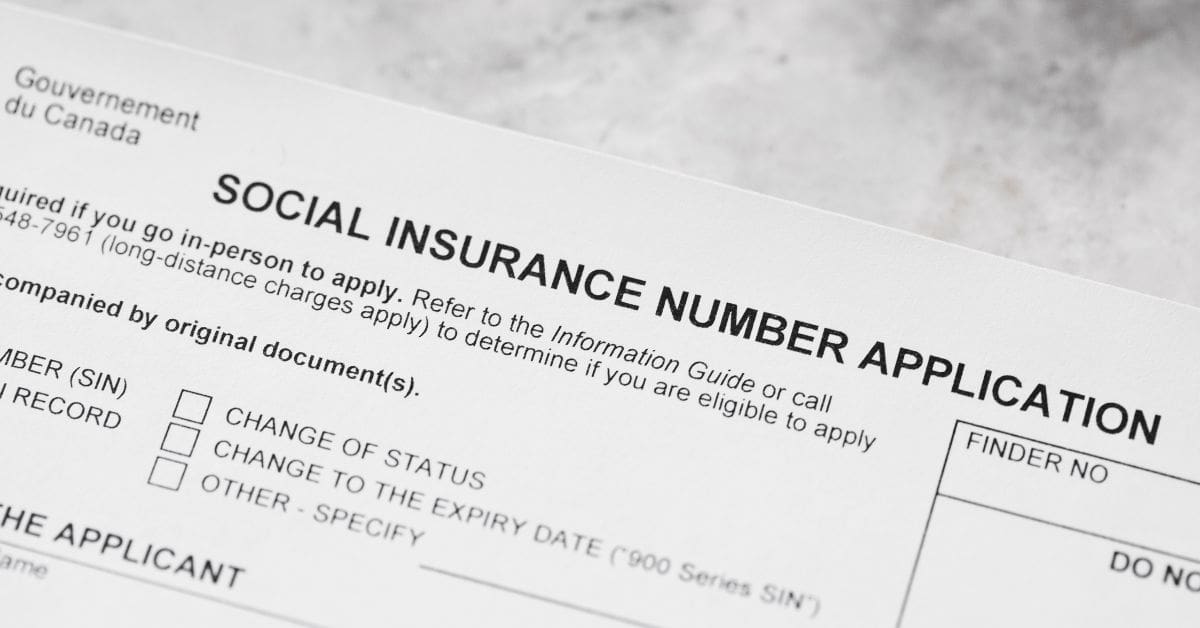
If you are a permanent resident (PR), temporary resident, or Canadian citizen, you need a Social Insurance Number (SIN). You should apply for your SIN shortly after you arrive in Canada.
Newcomers require a SIN for many important activities in Canada, including:
Without a valid SIN, employers cannot process your payroll information or issue your paycheque.
A SIN is a unique nine-digit number that Service Canada issues. It is your legal identifier for employment, taxes, and government services. All legal residents over the age of 12 are eligible to receive one.
Anyone who wants to work in Canada needs a SIN, including high school students looking for seasonal work. If you are helping your teenager get a SIN for a school break position, check out our guide on navigating teen summer jobs in Canada, so your family is fully prepared.
You should apply for a Social Insurance Number as soon as possible after arriving in Canada, especially if you plan to seek immediate work. However, there is no strict legal deadline or penalty if you apply in a few weeks.
Newcomer Tip: Applying for a SIN is free. Local immigrant settlement agencies can help you complete your application at no cost. Be cautious of third-party websites or individuals offering to fast-track your application for a fee.
Yes, you can get a Social Insurance Number immediately upon arrival through the SIN@Landing program. Service Canada operates dedicated, on-site desks at six major Canadian international airports (Toronto Pearson International Airport, Vancouver International Airport, Montréal-Trudeau International Airport, Calgary International Airport, Edmonton International Airport, and Halifax Stanfield International Airport), allowing permanent and temporary residents to walk away with their SIN before leaving the terminal.
If your flight lands late at night or outside of their active daytime operational hours, don’t worry! You can use the Service Canada Centre directory to locate a local office or apply online. For a complete roadmap on handling your arrival activities, including setting up your phone plan and obtaining other important documents, check out the guide, First Things to Do After Landing in Canada.
| Step | Action and Requirements | Location / Outcome |
| 1. Clear Customs | Complete your standard declaration and pass through the Canada Border Services Agency (CBSA) customs checkpoint. | Airport Customs Hall |
| 2. Locate the Desk | Look for the official Government of Canada or Service Canada signage right after the immigration arrivals area. | Post-Immigration Exit Terminal |
| 3. Present Your Documents | Hand the agent your passport and your newly issued immigration document (such as your Work Permit, Study Permit, or COPR). | Service Canada Airport Desk |
| 4. On-the-Spot Issuance | The agent will verify your legal status, process your application, and hand you your official 9-digit paper confirmation. | Same-day collection (Minutes) |
To apply for a Canadian SIN, you must provide one primary identity document proving your legal status, one secondary document confirming your legal name/birthdate, and a supporting document if your current name has changed from your original ID.
⚠️ Important Note for International Students: Your Study Permit must explicitly state that you can “accept employment” or “work off-campus” in Canada. Service Canada will reject your application if your permit says you are not authorized to work. If this happens, you must apply to Immigration, Refugees and Citizenship Canada (IRCC) to amend your study permit before you can get a SIN.
This must be a government-issued photo ID that confirms your legal name and date of birth:
You only need to provide a supporting document if the name on your primary or secondary document does not match your current legal name:
If you didn’t get your SIN at the airport, you can apply online, in person, or by mail through Service Canada.
| Application Method | Processing Time | Documents Required | Best For |
| Airport (SIN@Landing) | Issued in minutes | Original, physical documents | Newcomers landing at major hubs during active airport desk operational hours. |
| In Person | Issued on the same day | Original, physical documents | Newcomers who need their SIN immediately to finalize a job offer or payroll. |
| Online | Processed in 5 business days (allow 10–15 days for mail) | High-quality digital scans | Anyone who prefers applying from home via the secure eServiceCanada portal. |
| By Mail | Approximately 20 to 25 business days | Original, physical documents | Applicants living in remote areas without access to a Service Canada Centre or a computer. |
*Processing times may vary.
To apply for a SIN online, navigate to the official eServiceCanada portal, complete the secure form, and upload clear digital scans of your primary and secondary documents.
To apply for a SIN in person, locate your nearest physical Service Canada Centre, bring your original physical identity documents, and speak to an agent. You will receive a paper version of your nine-digit SIN during your appointment.
To apply for a SIN by mail, download and print the SIN Application Form (Form NAS2120), enclose your original physical identity documents, and mail the package via registered mail to Service Canada. Processing takes 20 to 25 business days.
1-866-274-6627 to order a copy).To protect your SIN, memorize the number and store the physical document in a secure location at home. Never carry your SIN in your wallet, and refuse to provide it for non-legal purposes, such as apartment rentals or job applications, before being hired. Employers can legally ask for your SIN after they hire you.

Many Canadian landlords will ask you for your SIN to run a credit check while you are apartment hunting. While asking is legal, you do not have to give it to them, and we strongly recommend you don’t. Sharing your SIN before signing an official lease leaves you vulnerable to identity theft.
Getting your SIN means you’re ready to build a future here. But you can’t truly relax until you unpack your bags in your own space. Skip the rental scams and the stressful bidding wars. Explore our vetted Rentals for Newcomers Listings today to find landlords who understand your journey, accept newcomer applications, and are ready to welcome you home.
Our comprehensive Rental Application Guide gives you tips, document checklists, and templates to help you prove you are an excellent tenant and secure your dream home safely.

Newcomers and international students are prime targets for phone and email fraudsters falsely claiming to be government entities such as the Canada Revenue Agency (CRA) or Service Canada.
Securing your Social Insurance Number is a vital early milestone for settling into your new life in Canada. There is no rush to get it the minute you step off the plane, but applying for it early ensures you are ready when job opportunities or government benefits you may be eligible for arise.
Do you have your ID documents ready? Choose the application method that best suits your schedule, download your Rental Application Guide, and take this double-step toward building your success in Canada!
Yes, you can legally begin working before your physical SIN arrives. The Canadian government allows you to start working as long as you apply for your SIN within 3 days of your start date and provide the nine-digit number to your employer as soon as you receive it.
To prepare for your first paycheque and learn how to build a strong Canadian credit score early, read our top money management tips for newcomers to Canada.
A SIN issued to a Canadian citizen or permanent resident does not expire. However, temporary residents (students and foreign workers) receive a temporary SIN starting with the number 9, which expires on the exact date listed on their work or study permit.
If you apply to renew your work or study permit before it expires, you can continue working under the same conditions. Even if the expiry date on your temporary 9-series SIN has passed, you enter what is called Maintained Status. Once your new permit arrives in the mail, take it to Service Canada to update your expiry date. Your nine-digit number will remain the same.
An employer can only legally demand your SIN after you are officially hired for payroll and tax purposes. Landlords, cell phone providers, and utility companies may ask for your SIN to run credit checks, but you are not legally required to give it to them. You should refuse and offer an alternative government photo ID.
WRITTEN BY
Corinna Frattini
Senior Editor and Content Writer, Prepare for Canada
Corinna researches and writes content to help newcomers make informed decisions about housing, employment, banking, and aspects of settling in Canada. With a background in human resources and leadership development, her articles focus on how newcomers can continue their careers in Canada. Her writing combines research, practical guidance, and clear language to support newcomers on their journey.
© Prepare for Canada 2026
First Things to Do After Landing in Canada
Essential Services to Help Newcomers Settle in Canada